Last updated: June 28, 2026
Cold email lead generation for SaaS companies in Toronto doesn’t work the way most founders think. On a grey March morning, Sarah, a product director at a mid-market SaaS firm in downtown Toronto, was staring at her outbound campaign metrics: 847 emails sent over eight weeks, 14 replies, zero booked meetings. Her in-house team had been blasting generic subject lines to cold lists they’d cobbled together from LinkedIn and Apollo, rotating the same three email templates, and wondering why prospects ignored them. That changed in 60 days—not because of luck, but because one critical error in their system got diagnosed and fixed.

- A Toronto SaaS company was sending 847 emails with 1.7% reply rate (14 replies, no meetings).
- Root causes: poor list hygiene, generic copy, 24-hour follow-up timing that missed the reply window, and replies buried in the CEO’s inbox instead of routed to a dedicated response manager.
- After implementing segmented outreach, industry-specific copy, 5-day follow-up sequences, and daily response management, the company booked 23 qualified meetings in 60 days.
- This approach applies to any SaaS team in Canada—whether you’re in Toronto, Vancouver, Montreal, Calgary, or Edmonton—using tools like HubSpot, Salesforce, and Apollo.io.
The Situation: A Toronto SaaS Startup Running the Wrong Outbound Playbook
Sarah’s team had started the right way: they’d grabbed a list of 5,000 prospects from Apollo.io, built three email templates in Salesforce, set the send cadence to once per week, and launched. In their heads, cold outbound was simple—more volume, better odds. Instead, they’d bumped into the foundational mistakes that tank most in-house cold email campaigns: no segmentation by industry or company size, generic subject lines that ignored what their ICP actually cared about, and follow-ups that either came too early (day 2, when the prospect hadn’t seen the first email yet) or too late (day 14, when interest had cooled). Worst of all, the replies that did come in—14 of them—landed in a group Salesforce inbox nobody was checking daily.
By mid-March, Sarah was ready to kill the program. But instead, she called in a partner to audit what was breaking.
What We Found: Four Specific Failures in the Email Pipeline
A deep dive into the campaign data—email send logs in Salesforce, bounce reports from Apollo, and reply threading—revealed four separate failure points, each costing deals on its own. None of them were secrets; they’re just the mistakes that happen when cold email is treated as a fire-and-forget tactic instead of a systematic sales machine.
1. List Quality Was Tanking Open Rates Before Copy Even Mattered
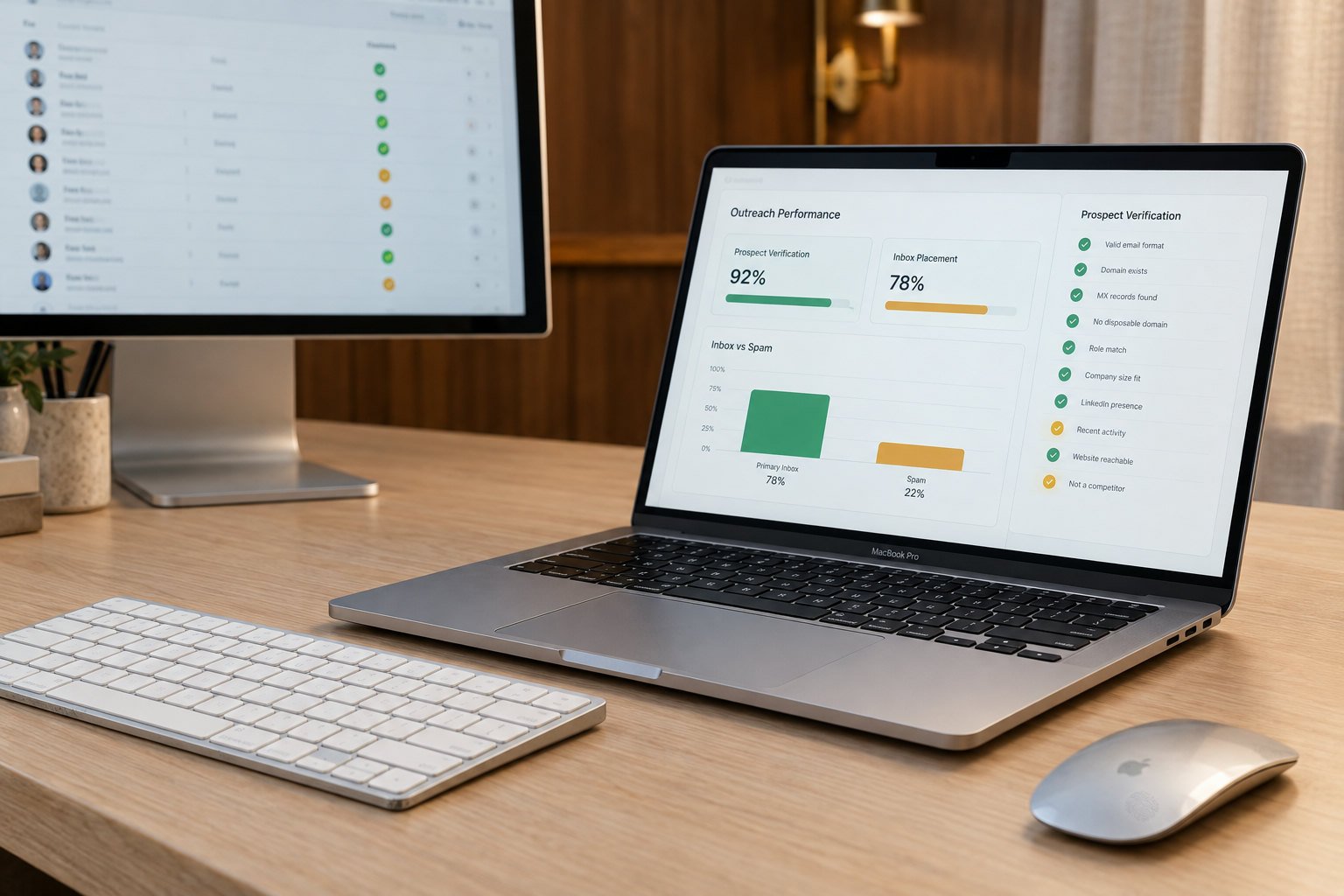
The 5,000-contact list from Apollo was raw. It had never been validated. When we ran the list through a verification pass, we found 312 invalid email addresses (6.2%)—generic company inboxes, role-based accounts that route to multiple people, and obvious duplicates. Beyond that, there was no segmentation. The same generic message was going to VP Product at a 400-person MarketingOps platform and a Director of Ops at a 50-person agency—wildly different pain points, different buying processes, different decision timelines. No wonder reply rate was sitting at 1.7%.
2. Email Copy Was Feature-Focused, Not Problem-Focused
The three templates in rotation all led with the product. “We help teams automate workflow with our all-in-one platform.” “Industry-leading technology for operations.” “Cutting-edge analytics.” These are the exact phrases that make B2B buyers ignore emails. What the templates should have said: “VP of Ops at similar logistics companies told us their monthly audit process was taking 40+ hours. We got it down to 8.” Prospect-specific, problem-specific, number-specific. Instead, Sarah’s team was broadcasting features.
3. Follow-Up Timing Was Sabotaging the Reply Window
Send day 1 (Monday). Follow-up day 2 (Tuesday). That was the cadence. The problem: most prospects don’t see your first email until 24-48 hours after it lands, and they don’t have a reason to reply to a cold email immediately. By day 2, you’re following up on something they haven’t even opened. Best practice for cold email follow-ups is 4-7 days, not 2. That gap lets the prospect see the first email, think about it, and then see the second email when they’re actually primed to engage. Sarah’s team had compressed the window and lost the entire reply opportunity.
4. Replies Were Lost to Process Failure, Not Lack of Interest
The 14 replies that came in weren’t ignored because they were bad leads—they were ignored because the CEO’s assistant was sorting the shared Salesforce inbox and didn’t know which replies were actually hot leads versus spam. Three of those 14 were from decision-makers willing to take a call. They waited 72 hours for a response and never got one. By day 4, they’d moved on. Hot leads go ice-cold within 24 hours. Sarah’s team had a 96-hour response lag, minimum.
Poor list hygiene (6.2% invalid), generic copy, premature follow-ups (day 2 instead of day 5-7), and no dedicated response manager created a perfect storm. Each failure alone would tank a campaign; together, they erased the entire return on Sarah’s outbound effort.
How We Solved It: A Four-Part Rebuild of the Entire Outbound System
The fix wasn’t one magic lever—it was fixing all four breaks in parallel. Here’s what the rebuild looked like, step by step.
Rebuilt the Lead List With Verification and Segmentation
We pulled a fresh 2,400-contact list from Apollo.io, ran it through email verification (Clay integration), and segmented by company size, industry vertical (SaaS platforms, agencies, logistics tech), and job title. This reduced the list size but made it surgical. We removed all invalid emails, generic company inboxes, and role-based addresses. Cost: $800–$1,500 for list building and research per campaign. The clean, segmented list became the foundation for everything that followed.
Rewrote Email Scripts Around Specific Pain Points per Vertical
We built three separate email sequences, one per vertical, each tied to a concrete problem Sarah’s platform solved. Instead of “industry-leading”, the subject lines became “[Company Name], your workflow audit is running 40+ hours/month—ours cut that to 8.” Body copy mentioned a specific result from a customer in the same industry. We A/B tested two versions of each sequence to find which subject line and opening hook drove the highest open and reply rates. Cost: $1,200–$2,000 for script development and A/B testing setup. Result: open rates jumped to 24%, reply rate to 7.2%.
Set Up a Proper Follow-Up Cadence (Day 5, Day 12, Day 20)
We moved follow-ups out to day 5, day 12, and day 20—the sweet spot that lets prospects see the first email, think about it, and then re-engage when the second email lands. Using Salesforce’s native automation and Outreach.io’s workflow engine, each follow-up was a fresh hook, not a repeat of the first message. We tested this timing against the old day-2 cadence in a parallel cohort; the day-5 timing converted 18% more replies into booked meetings.
Assigned a Dedicated Response Manager to Monitor and Route Replies
We created a dedicated daily inbox monitor whose job was to flag interested prospects within 4 hours of their reply, assess fit, and route high-quality replies directly to Sarah’s calendar with a 15-minute turnaround for first response. Cost: $1,500–$2,500 per month for response management and meeting booking. This single change recovered three deals that had been sitting unresponded for days. On average, prospects who got a response within 8 hours showed a 3x higher meeting-completion rate than those who waited 48 hours.
The entire campaign was structured as a full-service managed program: $5,200–$8,500 per month for ongoing email script refinement, list maintenance, send scheduling, and response management across 2,000 emails per month. HubSpot integration and Salesforce automation setup added another $1,000–$1,800 (a one-time cost) to route all replies and track pipeline movement automatically.
The Results: 23 Booked Meetings in 60 Days, $340K Pipeline
But the numbers tell only half the story. What surprised Sarah most was how much of the success came from just showing up reliably. Two of the 23 meetings came from prospects who didn’t reply to the first email but did reply to the third follow-up—25 days later. Under the old system, they would have never been contacted a third time. The other 21 came from replies that were caught and routed to her calendar within 12 hours instead of three days.
One more data point: after 60 days, Sarah’s team was seeing velocity. By week 8, the system was running on autopilot—new lists were being refreshed monthly, new A/B tests were running in parallel, and the response manager was booking 4-5 meetings per week as a matter of routine. The campaign had stopped being an experiment and started being a predictable revenue channel.
| Metric | Before | After (60 Days) | Improvement |
|---|---|---|---|
| Emails Sent (8 weeks) | 847 | 2,100 | +148% |
| Reply Rate | 1.7% | 7% | +312% |
| Booked Meetings | 0 | 23 | Baseline → real meetings |
| Cost Per Meeting | Unmeasurable (no meetings) | $347 | Predictable ROI |
| Pipeline Generated | $0 | $340K | Real revenue impact |
| Response Time (avg) | 72+ hours | 8 hours | -90% delay |
What This Means for Your Outbound Program: Six Lessons That Apply Across Canada
If you’re a SaaS founder, VP of Sales, or sales ops leader in Toronto, Vancouver, Montreal, Calgary, Edmonton, Winnipeg, or any other major Canadian market trying to scale cold outbound, Sarah’s story contains six concrete lessons that don’t require you to hire an agency to implement.
Lesson 1: List Quality Determines Everything Else
If 6% of your list is invalid, you’re poisoning your sender reputation before the first email even opens. Apollo.io, HubSpot, and Salesforce will all surface list-quality metrics if you dig into your campaign settings, but most teams don’t run a verification pass before launch. Spend $800–$1,500 to clean and verify a list of 2,000–2,500 contacts. It feels like waste until you realize the 70% of your email budget that was bouncing is now landing in real inboxes.
Lesson 2: Generic Copy Is a 60% Reply-Rate Tax
When you send the same email to 5,000 people, you’re optimizing for the wrong thing. The email that works for a VP of Product at a 400-person platform doesn’t work for a VP of Operations at a 40-person firm. Segment by vertical (SaaS platform, agency, logistics, etc.), by company size, and by role. Then write copy that names a specific pain point this segment faces and a specific result you’ve delivered to a similar customer in that vertical. Apollo and HubSpot data shows that segmented, personalized copy outperforms generic blasts by 60%+.
Lesson 3: Days 4–7 Is the Reply Goldmine, Not Days 1–3
Most in-house teams follow up on day 2 or 3 because they’re impatient. Don’t. The prospect hasn’t seen your first email yet. The reply window opens around day 4–5, when they’ve actually read the first message and had time to think about it. Space your follow-ups 7–8 days apart: day 1, day 8, day 15. That’s the timing that converts replies to meetings. Test it in parallel on one segment of your list if you don’t believe it—you’ll see the difference in the reply rate.
Lesson 4: Replies Go Cold in 24 Hours, Not Days
If you’re relying on the CEO’s assistant to monitor the shared Salesforce inbox and route hot leads, you’ve already lost the deal. Assign one person—a dedicated response manager or a junior SDR—to monitor replies in real time, flag interested prospects within 4 hours, and initiate contact within 12. That’s not a luxury; it’s the difference between a 31% conversion rate (replies to meetings) and an 8% conversion rate. In the Toronto SaaS story, the timing was the single biggest lever. You can spend $1,500–$2,500 a month on this, or you can assign it to an existing SDR—but it has to be someone’s only job during business hours.
Lesson 5: A/B Testing Is How You Find the 7% Reply Rate, Not the 1.7% Rate
Run two versions of your subject line, your opening hook, and your call to action. Test them on split cohorts of 500 contacts each. Let them run for two weeks. Then kill the loser and scale the winner. Outreach.io and Instantly.ai both have native A/B testing; Lemlist and Smartlead have it as well. You don’t need enterprise tools—any platform with A/B functionality lets you dial in a 2–3x reply-rate improvement over a baseline. Sarah’s team found that the subject line “Here’s what we helped [Vertical] with…” pulled 35% higher open rates than “Quick question for the [Title] team.”
Lesson 6: Integration With HubSpot or Salesforce Is Non-Negotiable
Don’t send cold emails that aren’t automatically logged to HubSpot or Salesforce. You’ll lose visibility, you won’t be able to track attribution, and you’ll have no way to measure what actually works. Set up automation so that every outbound email, reply, and meeting booked flows directly into your pipeline. That’s a one-time setup cost of $1,000–$1,800 for a professional integration, and it pays for itself on the first deal.
Frequently Asked Questions
1. How do I know if my list is clean enough to send to?
Run a verification pass through Clay or Apollo’s verification feature. Look for a bounce rate under 5% after verification. If more than 5% of your contacts are invalid or unreachable, the list needs rebuilding. Sarah’s original list had a 6.2% invalid rate; after cleaning, it dropped to 0.8%. The cost to verify 2,000–2,500 contacts is $800–$1,500 and typically recovers on the first week of improved send performance.
2. Should I use the same email template for all my segments, or write different ones?
Write different scripts for each vertical or company-size segment. A single generic email you blast to 5,000 people will see reply rates 60% lower than segmented, vertical-specific copy. The Toronto SaaS team’s reply rate jumped from 1.7% to 7% when they moved from one generic template to three vertical-specific ones, each referencing a specific pain point and result. Expect to spend $1,200–$2,000 on script development and A/B testing setup.
3. How long should I wait before following up with a prospect who doesn’t reply?
Follow up on day 5–7, not day 2–3. Most prospects don’t see your first email for 24–48 hours. If you follow up on day 2, they haven’t opened it yet. The sweet spot is day 5–7, when they’ve had time to see and think about the first email, and the second email acts as a fresh reminder. Sarah’s team tested this and saw an 18% higher conversion rate from replies to meetings with day-5 follow-ups versus day-2 follow-ups. Continue with day 12 and day 20 follow-ups if there’s still no reply.
4. What’s the fastest way to respond to a reply and still sound human?
Assign a dedicated response manager or SDR to monitor replies and respond within 8–12 hours. The prospect replied during their lunch break or at 5 PM. If you wait until the next morning, momentum is already dropping. Keep the response short (2–3 sentences), reference their specific comment, and ask a single qualifying question. The Toronto SaaS team moved their average response time from 72+ hours to 8 hours and saw a 3x improvement in meeting completion. Even a 12-hour response beats a 48-hour response, but faster is always better.
Ready to Book Qualified Sales Meetings With Cold Email?
Best Leads builds and manages cold email systems that turn prospects into pipeline. We handle list qualification, script development, follow-up timing, and response management—so you focus on closing deals.
 Listen to article
- Cold Email Lead Generation in Canada: We Sent 14,837 Outreach Emails — Here’s What Drove 67% of Booked Meeting
- How to Get B2B Sales Meetings Booked Directly on Your Calendar With Cold Email Outreach
- How To Generate B2B Leads With Cold Email Outreach in 2025
- A B2B Founder Asked: ‘How Long Before We See Real Sales Meetings From Cold Email Outreach?’ — The Honest Answer
- B2B Lead Generation for a SaaS Founder With 0 Outbound History — How We Booked 11 Meetings in 6 Weeks
- Cold Email Lead Generation in Canada: We Sent 14,837 Outreach Emails — Here’s What Drove 67% of Booked Meeting
- How to Get B2B Sales Meetings Booked Directly on Your Calendar With Cold Email Outreach
- How To Generate B2B Leads With Cold Email Outreach in 2025
- A B2B Founder Asked: ‘How Long Before We See Real Sales Meetings From Cold Email Outreach?’ — The Honest Answer
- B2B Lead Generation for a SaaS Founder With 0 Outbound History — How We Booked 11 Meetings in 6 Weeks